№ 0887GitHub
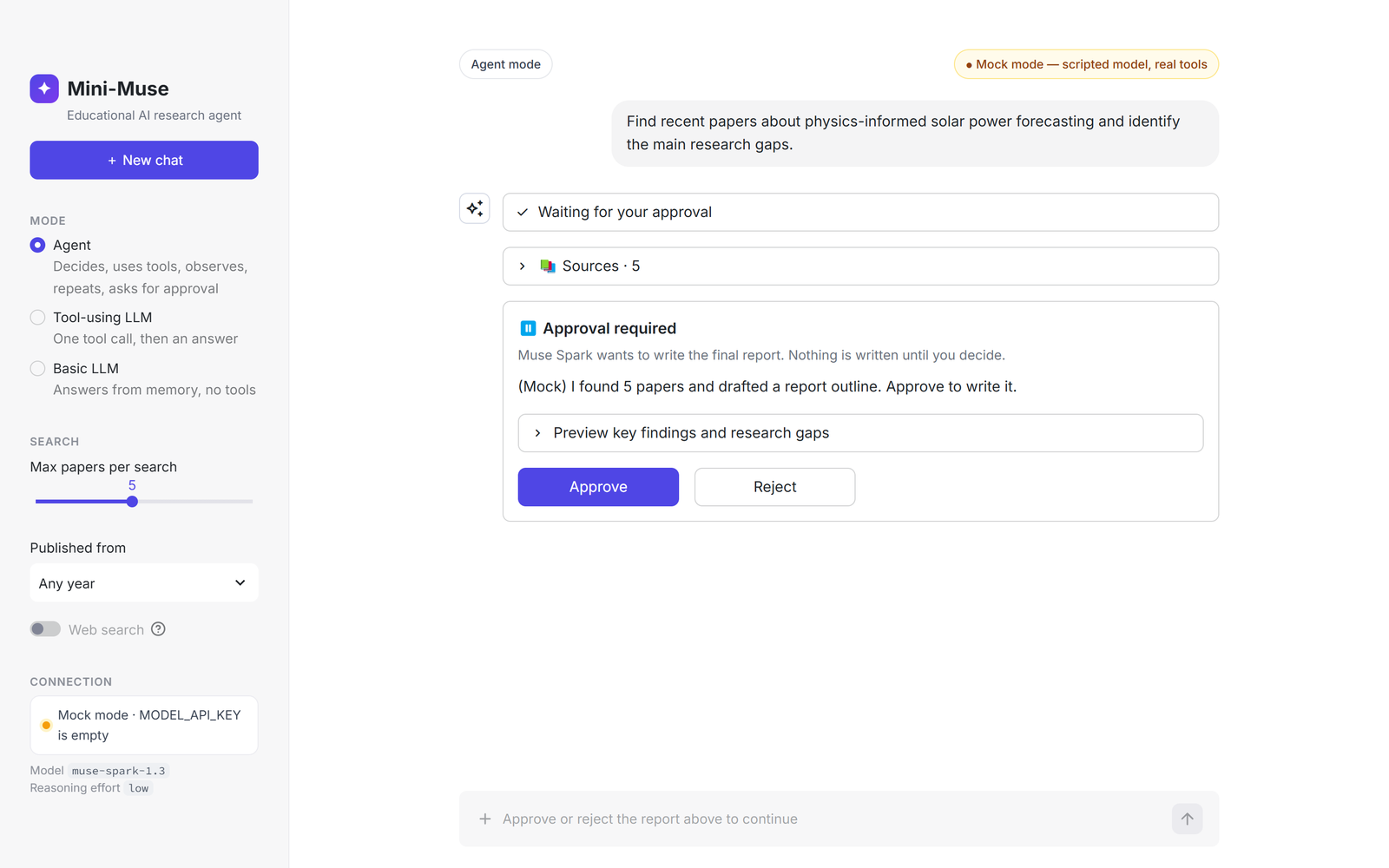
Mini-Muse research agent
An educational ~1,600-line Python chat app on Muse Spark that finds papers, reads PDFs and writes a cited report only after the user clicks Approve, built to show students how an LLM app becomes an agent.
Mini-Muse — a research agent built on Meta Muse Spark
Educational AI agent that shows undergraduates how an ordinary LLM app becomes an agent.
Mini-Muse is a small chat app, in the style of ChatGPT or Claude, that uses Meta's Muse Spark model. It can:
- find real research papers,
- read your PDF,
- do safe calculations,
- write a cited research report, but only after you click Approve.
The whole project is ~1,600 lines of plain Python (no LangChain, no LangGraph, no vector database), so a student can read it end to end.
User Goal → Muse Spark → Decision → Tool Selection → Tool Execution → Observation
          → Next Decision … → Human Approval (enforced by code) → Final Result
This project is an educational prototype inspired by Meta Muse and is not an implementation or reproduction of Meta's proprietary Muse product.
📑 Slides: slides/Mini-Muse-Step-by-Step-Implementation.pptx is a 24-slide, step-by-step lecture on how this project was built, with speaker notes.
Contents
- Quick start (5 minutes)
- How to use it
- Connect the real Muse Spark (API key)
- How it works
- Build it yourself, step by step
- Tests
- Configuration
- Project structure
- Safety, limitations and future work
1. Quick start (5 minutes)
You need Python 3.11 or newer and Git. No API key is needed to try it: without a key the app runs in mock mode (see below).
Windows (PowerShell):
git clone https://github.com/rajkumar898/muse-spark-research-agent.git
cd muse-spark-research-agent
python -m venv .venv
.venv\Scripts\activate
pip install -r requirements.txt
copy .env.example .env
streamlit run app.py
macOS / Linux:
git clone https://github.com/rajkumar898/muse-spark-research-agent.git
cd muse-spark-research-agent
python3 -m venv .venv
source .venv/bin/activate
pip install -r requirements.txt
cp .env.example .env
streamlit run app.py
Open http://localhost:8501 in your browser. Stop the app with **