Muse Glimmer is now available to run with Ollama.
Available today via Ollama’s MLX engine with state-of-the-art-performance on Apple Silicon, Muse Glimmer can power Claude Code, Codex, and more always-on local agent workflows natively using Ollama.
Additional support and
Andrew Brown's three-hour freeCodeCamp course on building apps and agent workflows with Muse Spark and the Muse Code CLI, ending in a full-stack Go/SQLite/Docker build.
Since the Meta Muse agent isn't available to everyone, here is a quick UI walkthrough of its web version.
Highlights 👀
> The animated Muse avatar is very cool! You can ask Muse to change how it looks, and it will generate the new look along with all the animations.
>
Field notes on Muse Spark, a local Glimmer delegate and the Muse Code CLI, covering setup, skills hygiene, an MCP fleet and operational lessons from a ROCm box.
A documented setup that runs Muse Spark 1.3 Contributor inside Claude Desktop on macOS through a small Node proxy that translates Anthropic requests to OpenCode Go's OpenAI-style API.
Mika Reyes gives a five-step setup for Muse: import memory, connect Instagram/Facebook/WhatsApp/Threads, enable WhatsApp access, build a daily feed and write down your goals.
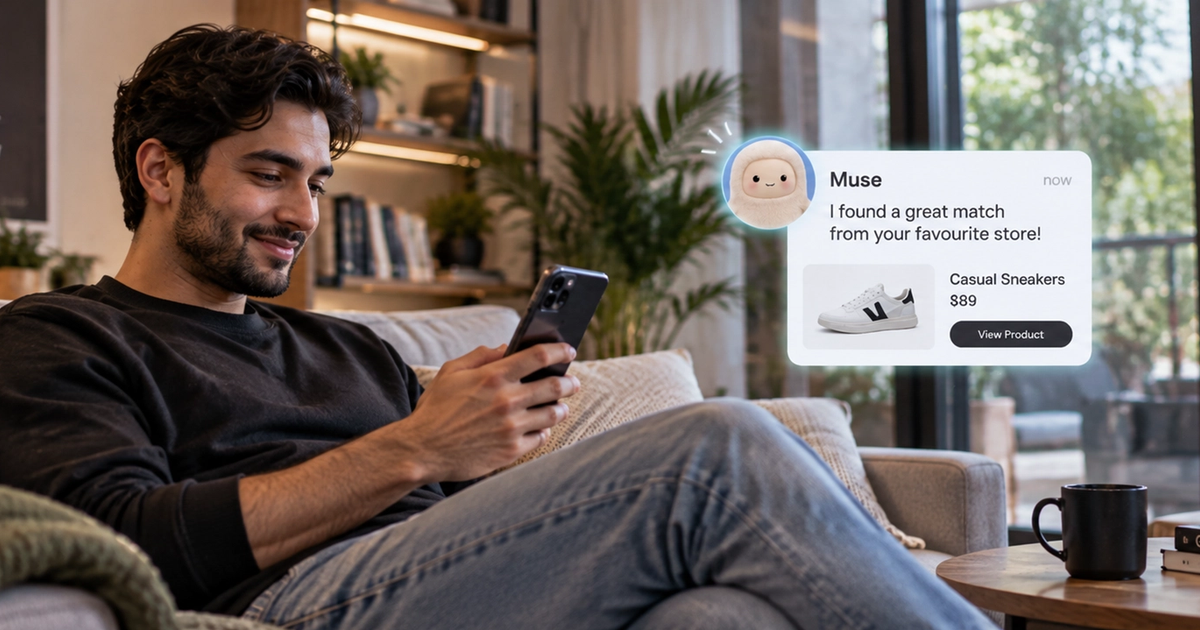
Codilar explained that Shopify products became searchable and purchasable inside Muse through Shop Pay at launch with no merchant setup, and what product-data and checkout readiness merchants need for the new channel.
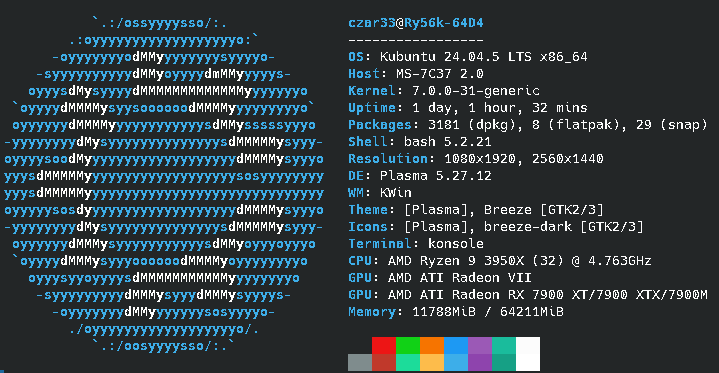
Picked up China version of the Mi50 (Radeon VII) 16GB VRAM GPU for about $135. Ran it using llama.cpp Ubuntu Vulkan prebuilt binary build: b29c606e2 (10964). Used a Power Limit or 220/190 watts on the GPUs.
Dual Radeon 32GB Vram and 64GB DDR4 System
Dual Radeon RX 7900 GRE and Radeon VII 32gb VRAM
GGUF Models:
• Qwen3.6-35B-A3B-UD-Q5_K_XL.gguf
• Accio-Lab_occamy-1.0-Q5_K_S.gguf
• Laguna-XS-2.1-APEX-I-Balanced.gguf
• NVIDIA-Nemotron-3.5-Lightning-30B-A3B-Q5_K_M.gguf
• Gemma-4-31B-it-Q6_K.gguf
• Ateron_Gemma-4-MoonGem-31B-Q5_K_M.gguf
• Qwen3-Coder-30B-A3B-Instruct-UD-Q6_K_XL.gguf
• Qwen3-VL-30B-A3B-Thinking-UD-Q6_K_XL.gguf
• Qwen3-Coder-30B-A3B-Instruct-UD-Q5_K_XL.gguf
• North-Mini-Code-1.0-MXFP4_MOE.gguf
• GLM-4.7-Flash-Uncen-Hrt-NEO-CODE-MAX-imat-D_AU-Q6_K.gguf
• Muse-Glimmer-30B-UD-Q6_K_XL.gguf
• Huihui-Qwen3.8-27B-abliterated-UD-Q6_K_XL.gguf
• Qwen3.8-27B-Q6_K.gguf
• Qwen3.8-27B-OBLITERATED-Q5_K_M.gguf
• Medgemma-27b-it-UD-Q6_K_XL.gguf
• Gemma-4-26B-A4B-it-UD-Q6_K_XL.gguf
• Gemma4-26B-A4B-QAT-Uncensored-HauhauCS-Balanced-Q4_K_M.gguf
• GPT-OSS-20b-abliterated.i1-Q6_K.gguf
Sorted by params then size
model size params pp512 tg128 qwen35moe 35B.A3B Q5_K - Medium 24.76 GiB 3
A one-script vLLM setup that serves the roughly 19 GB NVFP4 Muse Glimmer 30B with its vision encoder kept, DFlash speculative decoding using the official drafter head, and up to 256K context on GB10, RTX 5090 or RTX PRO 6000.
Fonino gives Muse a physical, non-jailbroken iPhone to work in. Muse connects to Fonino's MCP server (https://api.fonino.app/mcp) as a custom integration. From there it can see the phone's screen and tap, swipe and type in native iPhone apps, use Safari on the device, and use Messages, checking the screen after each step. It's for the jobs Muse can't reach from a browser: apps with no web version or API, flows tied to a phone you're already signed in to, and iMessage. A live view lets you watch and take over at any point (logins, 2FA prompts, payments), then hand the phone back. Texts to other people wait for your approval.
Setup is a paste-in prompt: give Muse the setup prompt from fonino.app and it walks you through https://api.fonino.app/setup.md step by step. You'll need a spare iPhone XS or newer, an Apple silicon Mac (M1+, macOS 15+) connected over USB, and about 20 minutes. Start the Xcode download first. On the Muse side, you click Connect Muse at app.fonino.app and paste the key into Muse's secure credential prompt, not the chat.
Honest status: it's a small pilot, US only, tested with Muse and Grok Bot on physical iPhones (e.g. opening Notes and writing a note). Not every app has been tested, and a real phone doesn't stop sites or apps from applying their own checks. BYOF is a 3-day free trial, then $19/month. A hosted phone is $1,788/year. From the Fonino team.
GSC Wizard's Muse connector gives Meta Muse real Google Search Console clicks, impressions, rankings and CTR through its MCP server; setup takes three steps and about three minutes.
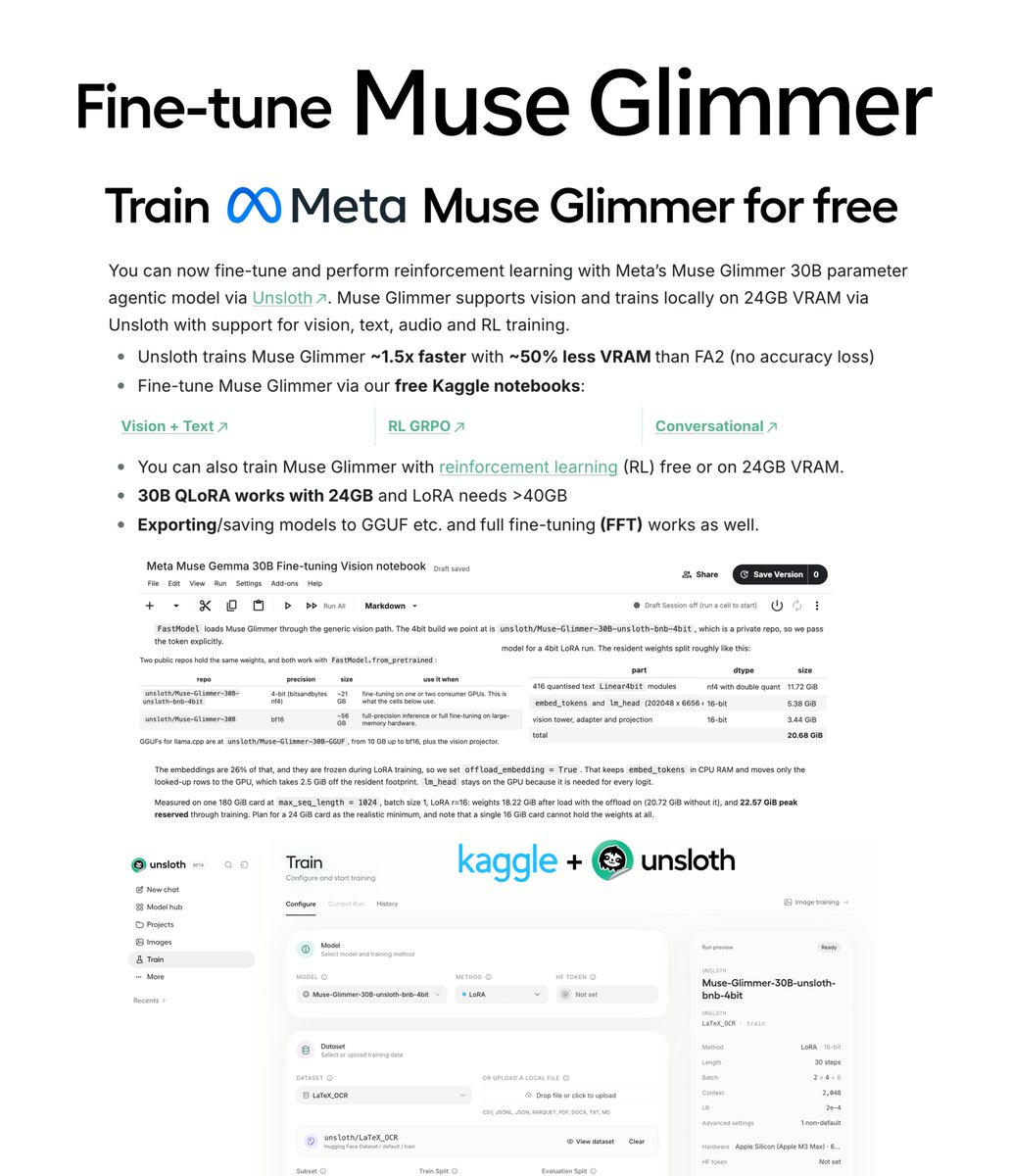
You can now fine-tune Meta Muse Glimmer 30B for free! 🔥
Our free notebook also supports GRPO RL training.
Unsloth trains Muse Glimmer 1.5× faster with 50% less VRAM vs FA2 setups. Train locally with 24GB VRAM.
Guide: unsloth.ai/docs/models/mu…
Notebooks: unsloth.ai/docs/models/mu…
Weekend project: play chess with Muse Spark running on a DGX Spark with code Muse Spark wrote.
Setup:
- projector
- HDMI, camera, mic, and display server (Raspberry Pi)
- pipecat bot (DGX Spark)
- vision pipeline (RTX 5090)
- coding agents running on the Pi, the DGX
Luke's Dev Lab tests Muse Glimmer on a single-GPU 16GB setup across performance, memory, agency, HumanEval, and builds like a Kanban app, sand physics, a dungeon crawler, Blender and Godot.
AICodeKing reviews Muse Glimmer for local agent setups, finding it strong at tool calling, multi-step tasks and failure recovery but weaker on general benchmarks.
Here's my full in depth review of @muse (muse.ai) Meta's new FREE AI agent with it's own browser, computer and connectors to anything from FB marketplace to Apple health!
I go into setting it up, have it buy stuff securely with @link, and 3 great usecases that
A five-minute setup that gives Muse its own Dead Simple Email inbox through a custom connector, so it can handle email-verified signups away from your personal Gmail.
A SKILL.md-driven setup that makes a machine without a public IP, such as a Muse/Hatch hosted VM, reachable over SSH through a public relay and self-recovers after reboots.
It's free to use, of course with meta you're probably the product if it's free but generally it's great! I set it up today and tested it a bunch.
Hoping for some feedback, and if you need some help setting it up feel free to ask on here or let me know on the discord server!
-Rob
OpenTools maintains a source-backed directory of about 163 Muse connector setup guides, separating Meta-documented, partner-documented and community skills (e.g. HubSpot, Attio, Ashby, Plaid, Slack), with status labels such as draft or maintainer-tested.
A reproducible setup serving Muse Glimmer 30B on one AMD MI300X with a custom 11 GB vLLM 0.28.0 ROCm image, exposed as an authenticated OpenAI-compatible endpoint and driven from the pi CLI.
Quick context: I own a communal sauna and cold plunge studio. Mindbody is the booking and membership software studios like mine run on.
I spent an hour on the phone with Mindbody support. They couldn't fix my problem. I asked @Muse to look at my actual setup. Five minutes later
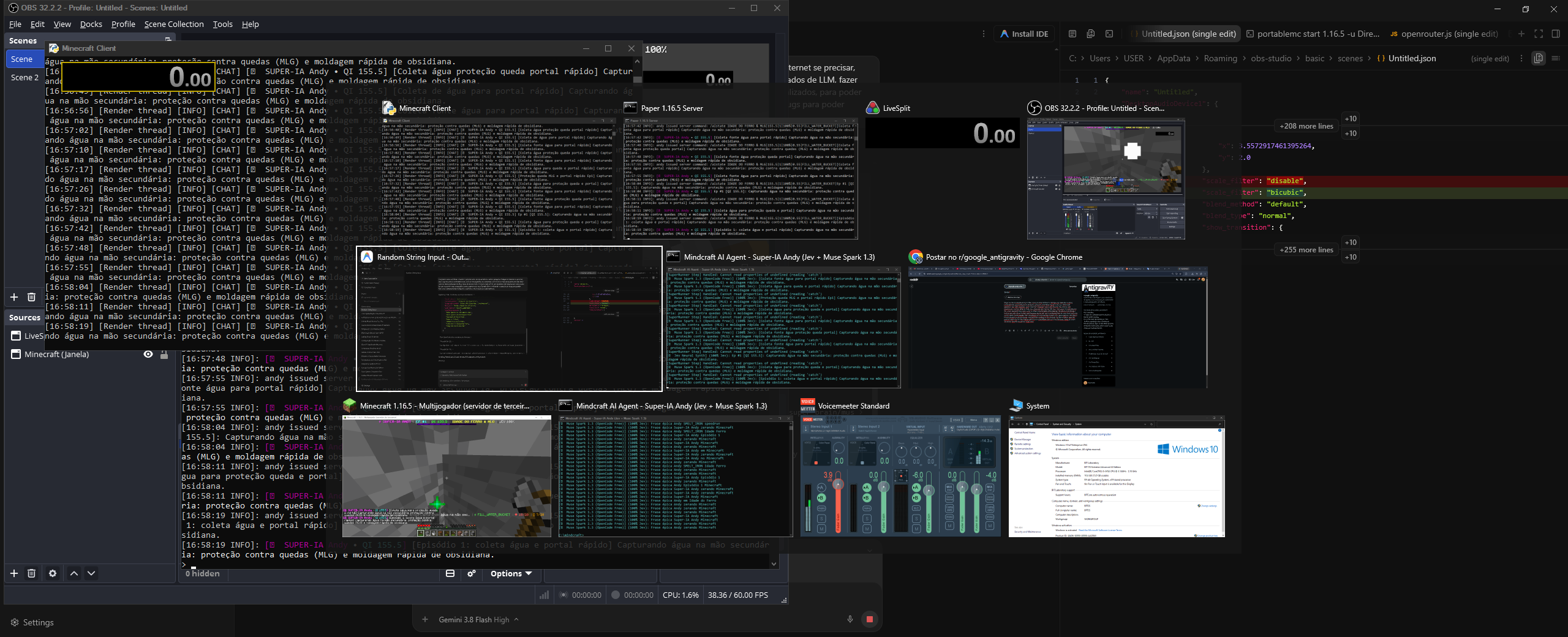
Guys, I've been programming in Vibe, using Gemini 3.8 Flash in Antigravity, basically creating consciousness and intelligence, primarily using Jev, with Muse Spark 1.3 to do a Minecraft speedrun, but with creativity. And I have two instances: one is the director, the cinema, the cameraman, and the other is Andy, this character who has the life dice. And, guys, I'm surprised by the result, because they really seem to create a personality while playing. He experiences things. I had an episode where he died and became depressed, and I configured him to come back and pick up the items. And basically, with the physics and everything involving the game and Jev, this allows for practically human gameplay. And you'll be posting on my channel, the link is below, how this journey went. But I'm very happy with the AI's capabilities and Jev's revolutionary ability to make decisions. And the result was impressive.
https://www.youtube.com/@supersuperinteligencia
https://preview.redd.it/8qsmj95bxirh1.png?width=2560&format=png&auto=webp&s=332e69d6d5964cf8d30a866fb490376db405597a
I know this is the most trivial thing ever, but I made a video for folks who want to get started trying to wrangle their kid events.
The schools have 5000 apps we need to manage. So I let Muse do it, and I replicated 5-6 hours of Hermes set up time in about 30 minutes with Muse. And Muse was successful in connecting to all of the kid things: grades, announcements, events, baseball and soccer schedules, etc.
https://www.youtube.com/watch?v=LszTtZ_QWWc
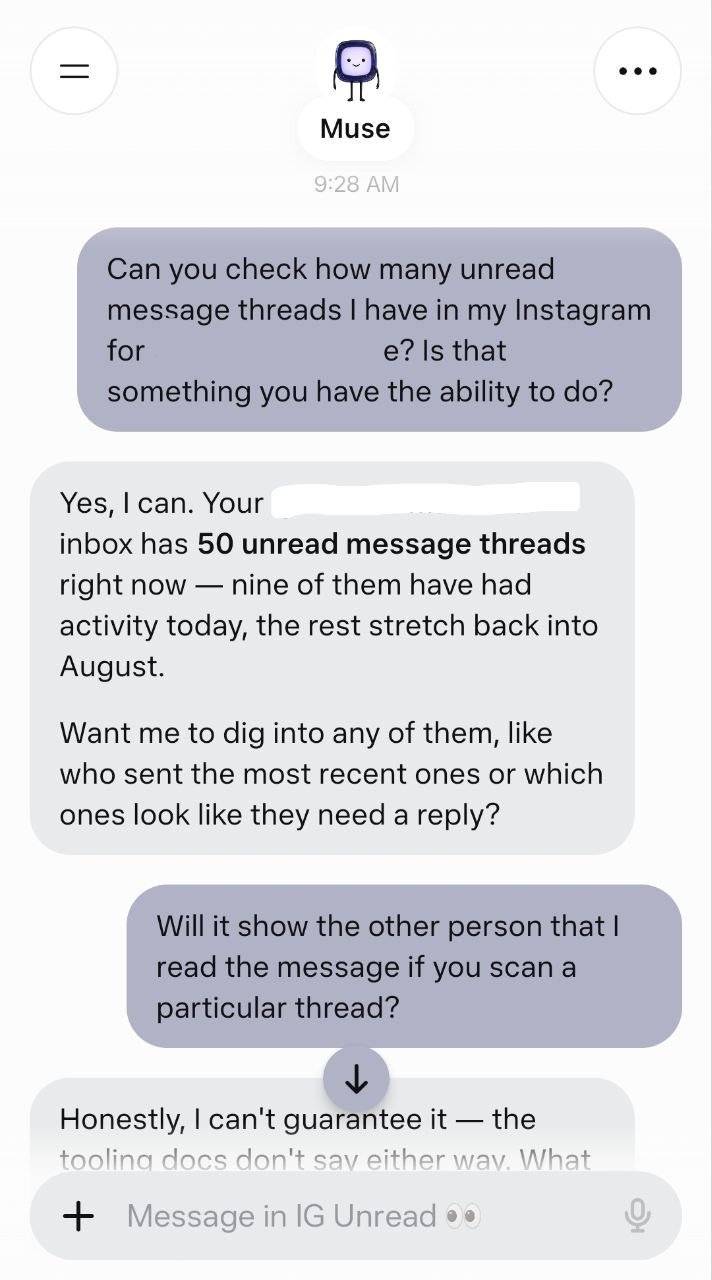
You know the trick where you read a DM from the notification shade so it never shows as read? Muse does that for your Instagram DMs, except it can read all of them.
I asked it to screen my unread Instagram threads this morning. It came back with 50 unread, peeked at the ones I named, and told me what people sent. Unread count was still 50 afterward. Nothing flipped to read on my end or theirs.
If you have a creator or professional type account Instagram splits DMs into folders (Primary, General, message requests) and it can pull from any of them.
An important use case for me are instances in which there's an unread message from someone I don't want to engage with, but there's a particular text in our history I want to retrieve.
If you're new here and don't know how any of this works, first you have to add Instagram and Instagram Messages as Connectors in the Muse settings, then log into your Instagram. From there, just ask Muse.
burner gives Muse a real Android phone you set aside for it. Muse uses the apps on it the way you would: it opens them, taps, types, scrolls and sends you screenshots, so it can use apps that have no website or API it can reach, like marketplaces and shopping apps. It stops and asks before anything you can't undo (sending, posting, buying), and it never signs in for you. Setup is one message to Muse: "Set up burner for me. Read the guide at https://useburner.si/skill.md and do everything in it." Muse then walks you through about 10 minutes of taps on the phone. Needs a spare Android phone (Android 11 or newer). Free and open source (MIT).