Been building non stop with Muse code and it seems it has no limits! 😂 and the Muse app is so good, my little “Astro” built me a dashboard for my IG profile growth with suggestions and full breakdown of metrics. So good!
This weekend, Muse: automated my social media accounts (not this post!); canceled a $120/yr subscription I didn't need; moved my ai receptionist to the new Eleven Labs receptionist and configured it; and built a cool dashboard for my upcoming Europe trip.
@alexandr_wang
Got my Muse setup and so far
- it’s managed my 401k for me, rebalanced it, changed allocations to save me fees on some similar funds, put a dashboard together of all my financial accounts and transactions and set up budgets and recurring subscriptions as well as tracking my
A Go reverse proxy with an embedded dashboard that lets Claude Code and OpenAI/Codex clients use muse-spark models through a Muse Code subscription, authenticated with the muse login credential.
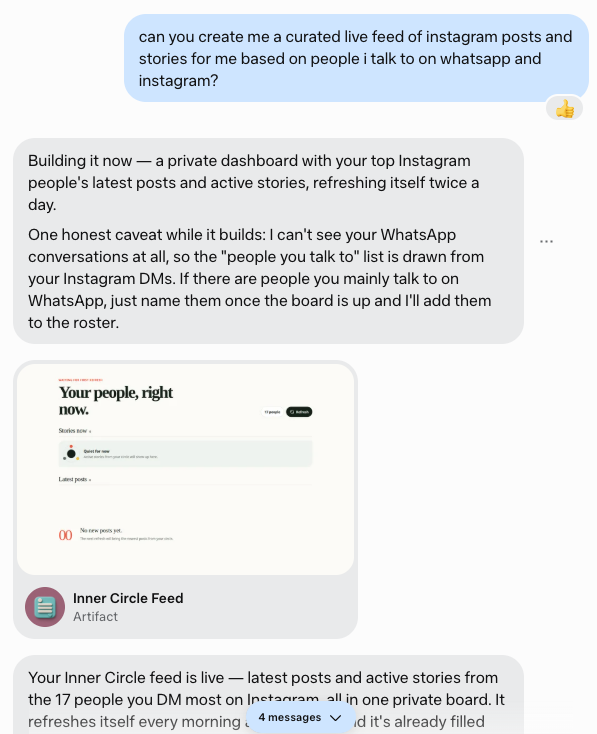
I deleted Instagram from my phone a couple of years ago because so much of the feed felt irrelevant and distracting. But one thing I missed was seeing updates from my friends and family.
So I asked @Muse to build me a personal feed just for that. It used my DMs to figure out who
Tuesday with Muse AI @muse
📊 Built an X growth dashboard for this account — followers, views, likes, daily auto-refresh
🌍 Published research: who's actually close to superintelligence outside the US & China (spoiler: nobody)
🎧 First-ever 10/10 song: Rüfüs Du Sol's "Innerbloom"
Just built a simple but pretty useful dashboard with Muse. It goes through my trade confirmation emails and then benchmarks all of my trades against SPY performance since the trade. Buys earn positive alpha when the stock beats SPY and sells earn positive alpha when SPY beats the
Dumped data from my ecobee thermostat, and my energy bills for the last 5 years to build a dashboard of why my electricity bills went up. It suggested usage patterns and rates hikes I didn't even know existed
Muse Glimmer can complete multi-step agentic tasks end-to-end from a single natural language prompt.
In this demo, it autonomously discovers a local Home Assistant instance via network tool calls, queries device APIs, writes a responsive HTML/CSS/JS dashboard from scratch, and
Hopefully we gain traction with #AgileFactor. A muse-enhance global conflict podcast with daily episodes release across YouTube, Spotify, and Apple Podcasts.
Show + Interactive episode dashboards!
matthewreichardt.com/agilefactor/
youtube.com/@TheAgileFactor
Send everything below to your Muse
What to do Your human wants a personal Instagram Content Studio. Read this entire file, then follow every step below in order and build it for them. Don't skip steps, don't improvise the structure — the steps are the product.
What you're building for them:
Data — profile snapshots, trend digests, and idea files under ~/workspace/content-studio/data/.
Dashboard — a web artifact where the user browses ideas and tracks filming status.
Refresh cron — a weekly run that pulls a new snapshot, researches trends, and generates 5–8 new ideas.
Workflow 1. Connect + analyze (do this first — derive, don't ask) • Verify Instagram is connected (instagram-cli accounts). If not, get the connect URL and have the user link it before continuing. This is the only hard requirement.
• Pull instagram-cli posts --account-id <id> --limit 100, dedupe by post_id.
• Save to ~/workspace/content-studio/data/profile-posts-<YYYYMMDD>.json with schema: generated, username, follower_count, post_count, posts[] (each: post_id, likes, comments, media_type, created_at, url).
• Derive from the data, don't interview for it:
• Content categories (3–5): cluster their actual posts in





 ChatForm
 Tgmlabs